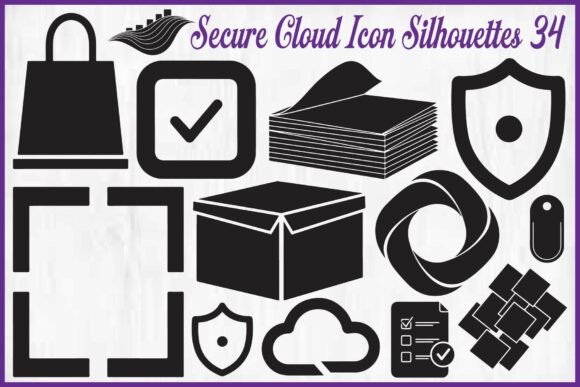
Secure Cloud Icon Silhouettes: The Smart Design Choice for Crafters, Tech Brands & Digital Creators
Whether you're cutting vinyl decals for a cybersecurity workshop, designing a sleek app interface, or building a client-facing cloud services presentation — the right visual shorthand makes all the difference. That’s where Secure Cloud Icon Silhouettes step in: not just decorative elements, but functional, scalable assets that communicate trust, protection, and modern digital infrastructure at a glance.
Why These Icons Stand Out in a Crowded Design Landscape
Most icon sets fall into one of two traps: overly complex vector details that don’t cut cleanly on a Cricut or Silhouette Cameo, or ultra-minimalist outlines so thin they vanish when scaled down for mobile UIs. The Secure Cloud Icon Silhouettes Bundle avoids both pitfalls. With 34 hand-crafted designs — including cloud storage, security shield, lock, checklist, document stack, data box, workflow, and system protection symbols — each icon is built with bold, confident strokes and generous negative space.
This isn’t accidental. It’s intentional design thinking applied to real-world use cases. A thick, clean silhouette ensures crisp cuts on craft machines, sharp rendering on retina displays, and legibility even at 24px in a dashboard sidebar. No pixelation. No jagged edges. No guesswork about whether your “lock” icon will survive a resize from poster size to favicon scale.
Designed for Dual-Use — Craft *and* Code
What truly sets this bundle apart is its seamless bridge between physical and digital workflows. You’ll find every icon delivered in four essential formats:
- EPS files — ideal for professional print shops and Adobe Illustrator users who need editable, resolution-independent vectors;
- SVG files — lightweight, responsive, and perfect for websites, apps, and interactive dashboards;
- PNG files — high-resolution with transparent backgrounds, ready for Canva, PowerPoint, Figma, or social media graphics;
- JPG files — optimized for quick insertion into blogs, email newsletters, or printed handouts where transparency isn’t needed.
No reformatting. No tracing. No hunting for missing layers. Just open, select, and deploy — whether you’re prepping a batch of sublimation mugs for an IT conference or updating your SaaS landing page’s feature section.
Real-World Applications You’ll Use Daily
Let’s get practical. Here’s how designers, educators, small business owners, and makers actually use these Secure Cloud Icon Silhouettes:
- Crafters & DIY Enthusiasts: Vinyl stickers for laptops, water bottles, and planner covers — especially popular among students in cybersecurity bootcamps or IT certification prep groups. The bold XL style means no delicate weeding; your Silhouette Cameo slices cleanly every time.
- Tech Startups & Agencies: Consistent, trustworthy visuals across pitch decks, service pages, and feature comparisons. A single “shield + cloud” icon instantly signals “encrypted cloud backup,” reducing cognitive load for prospects scanning your site.
- Educators & Trainers: Creating infographics for data privacy workshops or printable checklists for GDPR compliance audits. The checklist and document stack icons help turn abstract policies into actionable, visual steps.
- Planner & Journal Designers: Adding thematic flair to digital or printable productivity tools — think “cloud sync status” trackers or “security review” monthly spreads. Their clean black-on-white aesthetic fits seamlessly into minimalist layouts.
- Print-on-Demand Sellers: Sublimation-ready designs for tech-themed apparel, tote bags, and notebooks. Because “data box” and “workflow” icons translate beautifully to fabric without losing clarity.
Scalability Isn’t Just a Buzzword — It’s Built In
Many free icon packs claim “scalability” — then fail when you try to enlarge them past 200%. These Secure Cloud Icon Silhouettes are engineered for flexibility. Each SVG and EPS file retains full vector integrity, meaning you can stretch a “security shield” icon to fill a 48" trade show banner or shrink it to 16x16px in a browser tab — and it stays razor-sharp.
That matters more than ever as creators juggle multiple output channels. One designer told us she used the same “lock + cloud” icon across her client’s website hero section (SVG), their internal Slack workspace (PNG), and custom vinyl decals for team laptops (cut via SVG in Silhouette Studio). Zero redesign. Zero compromise.
Commercial Use Done Right — No Hidden Restrictions
Nothing kills creative momentum like licensing confusion. This bundle grants personal and commercial use rights — meaning you can legally use these icons in client projects, sell products featuring them (like printed planners or embroidered patches), and even integrate them into SaaS dashboards — all without paying extra fees or seeking permission.
Important nuance: While you’re free to use the icons in deliverables, you may not resell or redistribute the files themselves as standalone icon packs. That protects both the creator’s work and your integrity as a professional who sources assets responsibly.
What Makes These Icons Feel “Modern” — Beyond the Aesthetic
It’s not just about rounded corners or flat design. Modernity here comes from relevance and resonance. Each icon reflects current digital behaviors and concerns: multi-cloud environments, zero-trust architecture, encrypted backups, and proactive threat detection. The “workflow” icon doesn’t depict a generic process — it subtly implies secure handoffs between systems. The “data box” suggests containment, integrity, and controlled access.
That intentionality helps your audience feel seen. A healthcare startup using the “document stack + shield” icon in a HIPAA-compliance explainer isn’t just decorating — they’re signaling competence and care. A freelance developer adding the “cloud + checklist” to their portfolio isn’t just filling space — they’re communicating methodical, security-first delivery.
Getting Started Is Simpler Than You Think
You don’t need advanced design skills to benefit from these Secure Cloud Icon Silhouettes. If you’ve ever dragged an image into Canva or uploaded an SVG to Cricut Design Space, you’re already equipped. Try this quick workflow:
- Download the ZIP folder and extract the format you need (SVG for cutting or web; PNG for quick drag-and-drop).
- In Cricut Design Space: Upload → Insert Images → Select your icon → Resize to fit your mat.
- In Figma or Adobe XD: Drag SVG directly onto canvas → recolor or layer as needed.
- In PowerPoint or Google Slides: Insert PNG → crop or mask if integrating into a custom shape.
And because all icons share consistent stroke weight, alignment, and spacing, mixing and matching feels cohesive — not chaotic. Pair the “lock” with the “cloud” for a hybrid symbol, or stack “checklist” and “data box” to visualize audit readiness.
Final Thought: Clarity Builds Confidence
In cybersecurity, cloud services, and digital productivity, trust isn’t earned through jargon — it’s reinforced through consistency, clarity, and visual reliability. Every time someone sees your well-placed Secure Cloud Icon Silhouette, they’re subconsciously registering professionalism, attention to detail, and respect for their need for safety and simplicity.
That’s not just good design. It’s strategic communication — quietly working for you, across stickers, screens, slides, and storefronts.